Black Friday budget: how to shop without debt
Black Friday saves money on things you were going to buy anyway. On everything else, it just moves the spending.
In short
To shop Black Friday without debt, decide beforehand what you will buy and how much you will spend in total, track the price of those items for a few weeks so you know whether the discount is real, and use buy now, pay later only if the sum of all your instalments fits in your month. Anything that was not on your list is not a saving, however big the discount.
Black Friday now stretches from early November to Cyber Monday, right before the holidays. That is exactly why it is easy for it to eat the December budget too.
Before it starts
1
Make the list
What you already needed, not what you will see
2
Set a total cap
In dollars, for the whole event
3
Note today's prices
To know if the discount is real
4
Check what you already owe
Instalments and card balances, before adding more
Step three saves the most. Some retailers raise prices in the weeks before to advertise a bigger discount; price history tools show it.
Buy now, pay later, with care
Splitting a purchase into four payments is interest-free if every payment is on time, but each purchase adds a fixed payment to the others. Three "small" splits are three payments landing in December and January. Before accepting, add up every instalment: if the new one makes your month not work, it is not a deal: interest-free instalments.
Signs it is not a deal
- It was not on your list until you saw the ad.
- The "was" price is higher than what you saw a month ago.
- You are buying it because "it ends tonight".
- You need to split the payment for something that is not expensive.
Impulse buying has its own logic, and a weekend of countdown timers runs it at full speed: impulse buying.
If a bonus is coming
Do not spend it before it arrives. If your plan uses a year-end bonus, set aside December and January first, and what is left is what you can spend: what to do with a year-end bonus.
How it looks in the app
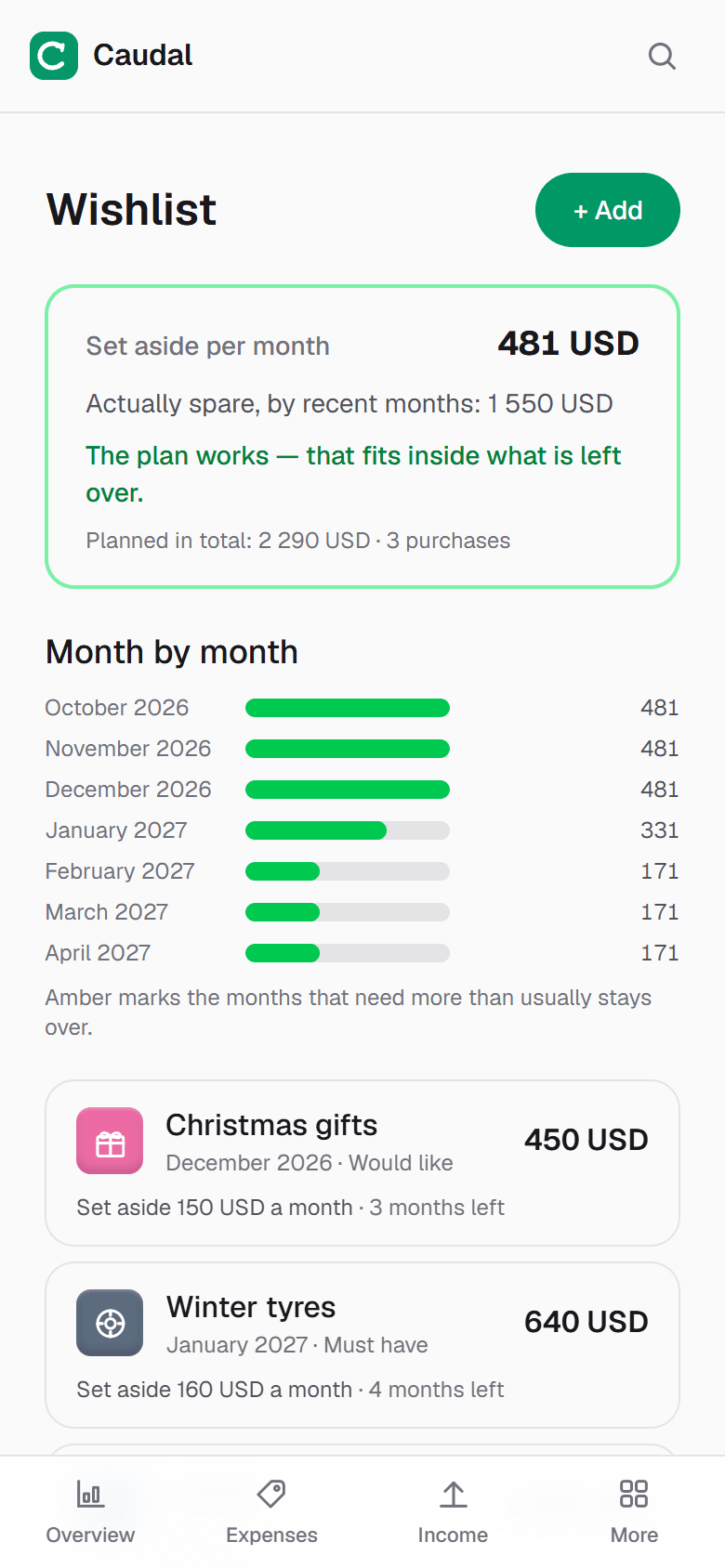
In Caudal you have a wishlist: you add what you want, with price and month. The app tells you what is really left over each month, based on your recent months, and whether you can afford it without debt. Arriving at Black Friday with that list is arriving with a plan.
Common questions
- How do I know if a Black Friday deal is real?
- Note the item's price a few weeks before, or use a price history tool, and compare it with the sale price. If the "was" price is higher than what you saw, the discount is smaller than it looks.
- Should I use buy now, pay later on Black Friday?
- Only if the sum of all your instalments, existing and new, fits comfortably in your month, and every payment will be on time. Each split is a fixed payment for weeks or months.
- How much should I spend on Black Friday?
- What you decide beforehand, as one total for the whole event, and only on things you already needed. If you are using a bonus, set aside the next two months first.
Try it on your own money
Caudal is an expense tracker in Spanish, English and Russian. Several currencies, goals, debts, a shared household budget. Recording an expense takes three seconds.
Start free